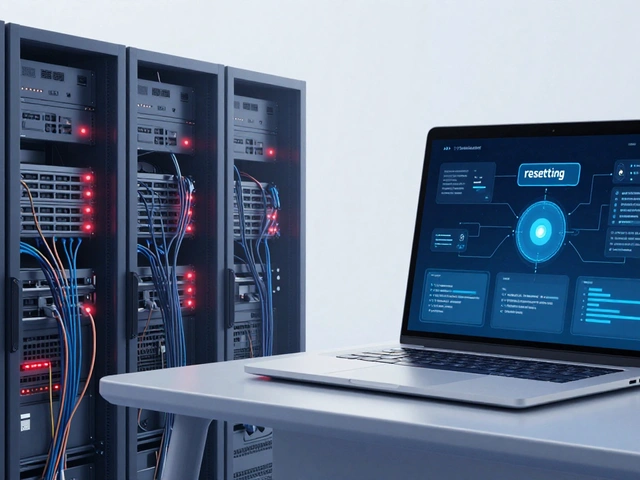
You likely check your phone or laptop every day without thinking about where your photos, documents, or emails actually live. They aren't just sitting on the hard drive inside your device anymore. For most of us, they are floating somewhere in a massive, invisible network of servers known as Cloud Storage is a model of computer data storage in which digital data is stored in logical pools, said to be on 'the cloud', with the physical storage spanning multiple servers.. But what does that really mean? Is it safe? And why do businesses pay thousands for it while you might get a few gigabytes for free?
We are going to break down how this technology works under the hood, who needs what kind of service, and how to keep your data safe from hackers and accidental deletions. Whether you are a freelancer managing client files or a small business owner trying to cut IT costs, understanding the mechanics of cloud storage is no longer optional-it’s essential.
The Core Mechanism: Where Does Your Data Actually Go?
When people hear "cloud," they often imagine something ethereal and distant. In reality, cloud storage is very physical. It consists of vast warehouses filled with rows of server racks. These facilities, called Data Centers are physical facilities used by organizations for housing computer systems and associated components, such as telecommunications and storage systems., are built with redundant power supplies, advanced cooling systems, and strict security protocols.
Here is the process when you upload a photo to your phone:
- Encryption: Before the file leaves your device, it is broken into smaller packets and encrypted. This turns your readable data into unreadable code using complex mathematical algorithms.
- Transmission: These encrypted packets travel over the internet to the provider's nearest data center.
- Distribution: The system doesn't store your file in one place. It splits the data further and stores copies across multiple hard drives in different servers, sometimes even in different geographic locations.
- Indexing: A metadata index is created so the system knows exactly where to find your pieces when you request them later.
This distribution is key. If one hard drive fails-and they do fail constantly-the system simply pulls your data from another copy. You never notice a glitch. This is why cloud storage is more reliable than keeping files only on your laptop. If your laptop dies, your data is gone. If a cloud server dies, your data is safe elsewhere.
Types of Cloud Storage: Public, Private, and Hybrid
Not all clouds are created equal. Depending on your privacy needs and budget, there are three main architectures you need to know about.
| Model | Ownership | Best For | Cost Structure | Security Level |
|---|---|---|---|---|
| Public Cloud | Third-party provider (e.g., AWS, Google) | Individuals, startups, non-sensitive data | Pay-as-you-go subscription | High (Provider managed) |
| Private Cloud | Your organization | Enterprises, healthcare, finance | High upfront infrastructure cost | Very High (Self-managed) |
| Hybrid Cloud | Mixed | Businesses needing flexibility | Variable | Customizable |
Public Cloud is what you use with services like Dropbox or iCloud. The infrastructure is shared among many users. It is cheap, scalable, and easy to set up. However, you have less control over where your data physically sits.
Private Cloud is dedicated solely to one organization. It can be hosted on-premises or by a third party. Banks and hospitals often use private clouds because regulations require strict control over data location and access. It is expensive but offers maximum privacy.
Hybrid Cloud combines both. A company might keep sensitive customer records on a private cloud while using a public cloud for marketing materials and email. This gives the best of both worlds: security for critical data and scalability for everyday operations.
For Individuals: More Than Just Photo Backup
If you are an individual user, your primary goal is convenience and disaster recovery. Most providers offer a free tier-usually between 5GB and 15GB-to hook you in. But here is the trap: free tiers are often limited in speed and support. Once you exceed the limit, prices jump significantly.
Consider these common scenarios:
- The Photographer: You shoot hundreds of high-resolution images daily. Local storage fills up fast. A cloud solution with "cold storage" options (cheaper, slower access) allows you to archive old projects while keeping recent work accessible.
- The Remote Worker: You switch between a home laptop and a work desktop. Cloud sync folders ensure your latest document edits are available on both devices instantly. No more emailing files to yourself.
- The Family Archivist: You want to share vacation videos with relatives. Cloud sharing links allow you to grant temporary access without giving away your password.
A critical tip for individuals: Enable two-factor authentication (2FA). Your cloud account is a vault. If someone guesses your password, they own your digital life. 2FA adds a second layer, usually a code sent to your phone, making unauthorized access nearly impossible.

For Businesses: Scalability, Collaboration, and Compliance
For businesses, cloud storage is not just about saving space; it is about enabling workflows. In 2026, remote and hybrid work models are standard. Teams need real-time collaboration tools that sit on top of cloud storage.
Enterprise Content Management (ECM) is a set of strategies and tools used by enterprises to capture, manage, and distribute content and information used by an enterprise. Modern cloud platforms integrate ECM features like version history, permission settings, and audit logs.
Why do businesses choose cloud over local servers?
- Scalability: Need 1TB today? Easy. Need 100TB next month? Click a button. With physical servers, you would need to buy hardware, ship it, install it, and configure it-a process taking weeks.
- Disaster Recovery: If your office floods or burns down, your local servers are destroyed. With cloud backups replicated across regions, you can restore operations within hours.
- Compliance: Regulations like GDPR in Europe or HIPAA in the US dictate how data must be stored and protected. Major cloud providers invest billions in compliance certifications, lifting that burden off your IT team.
However, businesses face a unique risk: data sprawl. When everyone can create folders and share files, chaos ensues. Implementing clear naming conventions and folder structures is vital. Without governance, your cloud becomes a digital junkyard.
Security Risks and How to Mitigate Them
No system is immune to threats. While cloud providers have robust security, mistakes happen on the user side. Here are the top risks and how to handle them.
Ransomware: Hackers encrypt your files and demand payment. If your cloud syncs changes automatically, ransomware can infect your cloud backup too. The solution? Use "versioning" or "recycle bin" retention policies. Keep previous versions of files for at least 30 days. This allows you to roll back to a clean state before the infection occurred.
Insider Threats: An employee accidentally deletes a critical database or intentionally leaks data. Role-Based Access Control (RBAC) limits who can see what. Only give employees access to the specific folders they need, nothing more.
Vendor Lock-in: Moving petabytes of data out of one cloud provider to another is expensive and slow. To mitigate this, maintain a secondary backup strategy. The "3-2-1 Rule" is gold standard: 3 copies of data, 2 different media types, 1 offsite copy. If your primary cloud is AWS, keep a backup on Azure or a physical tape library.

Choosing the Right Provider in 2026
The market is crowded. How do you pick? Look beyond price. Consider these factors:
- Uptime SLA: Service Level Agreements guarantee availability. Look for 99.9% or higher. Check what happens if they miss the mark-do they credit your account?
- Transfer Fees: Some providers charge heavily for data egress (downloading data out). If you plan to move data frequently, this hidden cost can skyrocket your bill.
- Integration: Does the cloud storage play nice with your existing tools? Slack, Microsoft Office, Adobe Creative Cloud? Seamless integration boosts productivity.
- Customer Support: Free tiers often have chat-only support. Business plans should offer 24/7 phone or priority ticket support. Test their response time before committing.
Major players like Amazon S3, Microsoft Azure Blob Storage, and Google Cloud Storage dominate the enterprise space due to their global reach and reliability. For consumers, Dropbox, Google Drive, and OneDrive remain the go-to choices for ease of use.
Future Trends: AI and Edge Computing
As we move through 2026, cloud storage is evolving. Artificial Intelligence is being integrated directly into storage layers. Imagine uploading raw video footage and having the cloud automatically tag scenes, identify faces, and suggest edits before you even download it. This reduces bandwidth usage and speeds up workflows.
Edge computing is also changing the game. Instead of sending all data to a central cloud, processing happens closer to the source-on your device or a local server. This reduces latency for applications like autonomous vehicles or smart factories, which cannot afford the delay of round-trip trips to a distant data center. Cloud storage now acts as the long-term archive, while edge handles the immediate action.
Is cloud storage safer than keeping files on my computer?
Generally, yes. Professional cloud providers have better security teams, encryption standards, and physical protection than most individuals or small businesses can afford. However, safety depends on your habits. Using strong passwords and two-factor authentication is crucial. If you leave your laptop unlocked, local storage is vulnerable. If you share a cloud link publicly, cloud storage is vulnerable. The platform is secure; human error is the weak link.
What happens to my data if I stop paying for cloud storage?
Most providers will notify you before deleting your data. Typically, you have a grace period (often 30 days) to renew your subscription. After that, they may delete your files permanently. Always read the Terms of Service. Never assume your data stays forever after cancellation. Download your important files before letting your account lapse.
Can I access my cloud files without an internet connection?
Yes, but with limitations. Most cloud apps allow you to select specific files or folders for "offline access." These files are cached on your device. You can view and edit them offline. Once you reconnect to the internet, any changes sync back to the cloud. If you haven't selected files for offline use, you cannot access them without Wi-Fi or cellular data.
How much does business cloud storage cost?
Costs vary widely based on volume and features. Basic per-user plans might range from $5 to $15 per month. Enterprise solutions with custom storage capacities can cost thousands monthly. Hidden costs include data transfer fees, API requests, and premium support. Always calculate total cost of ownership, not just the base storage price.
What is the difference between cloud backup and cloud storage?
Cloud storage is for active file management and sharing. You manually upload files or sync folders. Cloud backup is automated and creates snapshots of your entire system or specific data sets for disaster recovery. Backups often include version history and retention policies. You use storage for daily work and backup for insurance against catastrophe. Ideally, you need both.