
It happens to everyone. You reach for your Smart Speaker device that controls your lights and plays music in the morning, and it’s just blinking red. Or your front door lock stops communicating with your phone right before you leave the house. In 2026, we live surrounded by connected gadgets. When something breaks, the question isn’t just “can I fix it?” It’s “should I?” Tossing perfectly good hardware feels wasteful, but keeping obsolete gear risks your safety. Here is how you decide without guessing.
The 50 Percent Rule for Electronics
Most people hesitate to throw away expensive gear. They hold onto a camera that works half the time or a thermostat that freezes once a month. There is a simple financial benchmark to start with. Look at the cost of the repair versus the price of a brand-new model. If the fix costs more than fifty percent of a new replacement, walk away from the repair job.
This rule applies even harder in the world of Internet of Things (IoT) networked physical objects with embedded software. Why? Because labor costs have risen. As of 2026, specialized tech support technicians charge upwards of $120 per hour. Many manufacturers also void warranties if you open the casing yourself. That hidden risk changes the math quickly.
Consider a high-end Video Doorbell security device with motion detection that retails for two hundred dollars. A repair quote comes in at one hundred fifty dollars for a sensor issue. Even though the total is less than the new unit, the risk of future failures in the same unit makes the purchase of a fresh device smarter. Buy a product with a new warranty, not one with patched electronics.
Security End-of-Life Dates
Hardware dies quietly. The plastic shell looks fine, but the brain inside is outdated. Manufacturers stop pushing firmware updates eventually. Without those updates, your device is sitting on your network with known vulnerabilities that hackers can exploit. This is where a cheap repair turns into a massive liability.
Check the manufacturer’s support page today. Search for the model number plus “firmware update history.” If the last patch was more than eighteen months ago, flag it for replacement immediately. In 2026, the cybersecurity landscape is stricter than ever. An unpatched device can serve as an entry point for botnets targeting your entire home network.
Many of us still have Voice Assistants digital assistants like Alexa or Google Assistant from the third generation. While the speakers work fine for playing Spotify, the processors inside struggle with modern cloud commands. More importantly, the encryption standards on older chips often fail to meet current privacy laws. If the company stopped issuing security patches, swap that device for a model that receives regular support.
The Matter Protocol Advantage
In the last few years, the industry standardized around the Matter Standard universal connectivity protocol for smart homes. Devices built before 2023 mostly rely on proprietary hubs. If your current setup relies on a specific brand’s hub that is shutting down services, you are stuck.
Matter allows different brands to talk to each other directly over your Wi-Fi or Thread network. Old devices often require a legacy hub to function. If that hub fails, your whole ecosystem goes dark. Before repairing a single lightbulb or plug, verify the connection standard. Is the device compatible with Matter? Can it run independently of a central server?
If your Smart Bulbs LED lighting controlled remotely only connect through a discontinued app, repair is pointless. You will buy a new bulb every week anyway. Switch to a universal standard that ensures longevity rather than fighting a losing battle with obsolete tech.
| Condition | Action | Reason |
|---|---|---|
| Device under warranty | Replace | Free coverage available from vendor |
| Firmware support ended | Replace | Security vulnerability too high |
| Simple power issue | Repair | Cheaper part fix, extends life |
| Proprietary protocol failing | Replace | Incompatibility with newer hubs |
Physical Damage and Component Lifespan
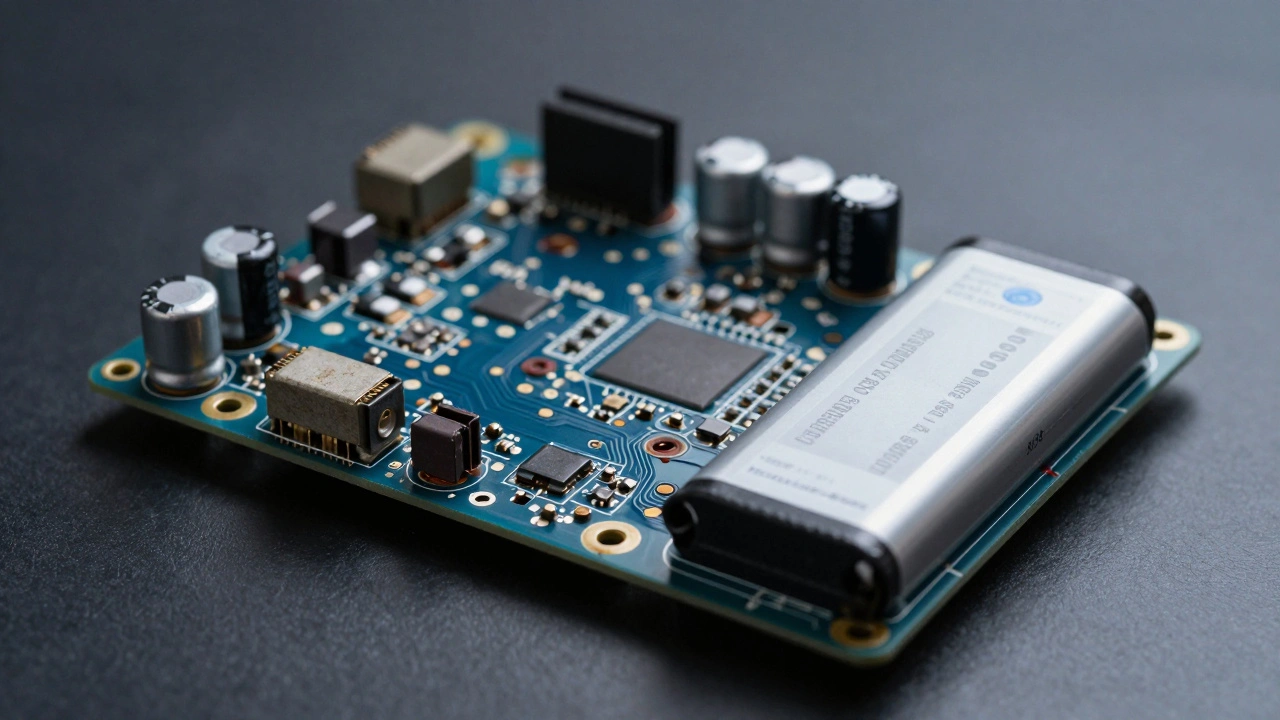
Sometimes the damage is obvious. Your vacuum got dropped on concrete. The screen on your display is shattered. Other times it is internal. Capacitors dry out. Motors wear down. Lithium-ion batteries degrade permanently after about three years of use.
You can replace the battery in some units. For others, the battery is glued inside the housing, requiring destructive opening to access. If the repair requires drilling out screws or breaking seals, calculate the skill level required. Most homeowners do not have precision screwdrivers or soldering irons handy. Attempting this repair yourself can short-circuit the motherboard, killing the board completely.
Avoid this trap by checking service availability first. Are there authorized service centers in your area? In places like Portland, finding independent technicians who specialize in smart tech has gotten easier, but shipping a device to a national center adds weeks to downtime. If you need the device for security or safety, speed matters. Do not wait three weeks for a fix; buy a temporary replacement instead.
Eco-Friendly Choices
It is easy to feel guilty throwing away electronics. Electronic waste fills landfills globally. However, e-waste rules have changed. Recycling programs are now widespread. Instead of hiding a dead device in a drawer, take it to a certified recycler.
Some companies offer trade-in credits. You get cash toward a new model while ensuring the old one gets processed responsibly. This approach supports the circular economy better than hoarding broken junk. Don’t let the fear of waste dictate your security. A safe home takes precedence over a full landfill bin.

Troubleshooting Before Committing
Before writing off a gadget entirely, try the basics. Reset the router. Unplug the device and reboot it. Update the controlling app. These steps solve ninety percent of false positives. Often the device works fine; the network configuration is just confused.
If basic troubleshooting fails, contact technical support. Many companies provide remote diagnostics. If they cannot fix it via software instructions, ask for the next step. If they recommend buying a new unit over sending it in for repair, listen to them. Their internal data knows failure rates better than any forum discussion.
Planning for Long-Term Value
Think about the device’s remaining useful life. If you repair a five-year-old tablet, will you still use it in another three years? Technology improves fast. Features you miss today might become standard features tomorrow. Repairing keeps your system stagnant. Upgrading keeps your capabilities current.
Invest in quality hardware when replacing. Cheaper devices often lack robust build quality. They break faster and get replaced sooner. Spend more upfront on durable goods. It lowers the frequency of these decisions in the long run.
Is it worth fixing a smart thermostat?
Yes, if the wiring harness is intact but the screen failed. Replacement screens are often affordable. If the internal sensor is bad, buy a new unit since calibration affects accuracy and energy savings.
Do I lose my data if I replace the device?
Most modern setups store data in the cloud account, not the device. Log into your portal before disposing of the old unit to ensure backups are saved locally.
How often should I upgrade smart cameras?
Every four to five years. Lens quality and night vision improve rapidly. Also, older units may lose compatibility with cloud storage providers that change their encryption standards.
Can I sell my broken smart device?
You can sell it for parts on marketplace apps. Be honest about the condition. Buyers often need specific components like cameras or sensors for their own repair projects.
What is the biggest risk of keeping old devices?
Security breaches. Unsupported firmware cannot protect against new hacking methods. Always prioritize devices that receive active software updates for protection.