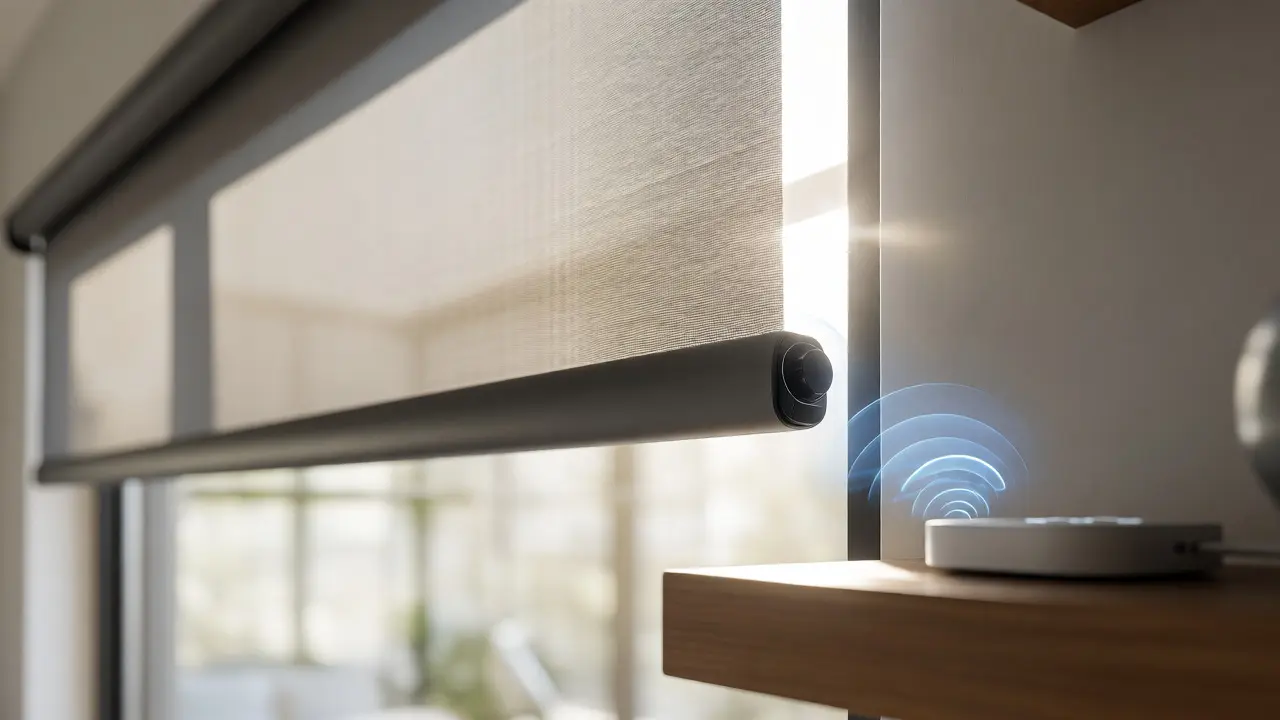
You just bought a set of sleek, motorized roller shades. They look great in your living room, but now you’re staring at the packaging, confused by terms like "Zigbee," "Z-Wave," and "Wi-Fi direct." You want them to open with the sunrise and close when you leave for work, but you don’t want to buy three different hubs or deal with spotty connections every time you check your email. The truth is, the protocol your smart blinds use dictates everything from battery life to how they react when your internet goes down.
Choosing the right communication standard isn’t just about tech specs; it’s about fitting the technology into your actual life. Do you have a large house with thick walls? Are you renting and can’t install a central hub? This guide breaks down the three main contenders-Zigbee, a low-power wireless mesh network protocol, Z-Wave, a proprietary wireless communications protocol designed for home automation, and Wi-Fi, the standard high-bandwidth wireless networking technology-so you can pick the setup that won’t drive you crazy.
The Core Problem: Why Protocol Choice Matters
Most people think all smart devices talk the same language. They don’t. When you connect a motorized shade to your phone, that signal has to travel from the device to your controller. If you choose the wrong path, you might face laggy responses, drained batteries, or devices that drop off the network whenever your neighbor streams a movie. The core issue here is balancing power consumption against range and reliability.
Think of it like choosing a delivery service. Wi-Fi is like sending a courier on a motorcycle-it’s fast and carries lots of data, but it burns fuel (battery) quickly and needs a clear road. Zigbee and Z-Wave are more like bicycle couriers-they move slower, carry less data, but they are incredibly energy-efficient and can navigate through traffic (walls) by passing messages along a chain of other devices. Understanding this fundamental difference helps you decide which system fits your home’s architecture.
Zigbee: The Mesh Network Powerhouse
Zigbee is an open-standard, low-power wireless mesh network protocol based on the IEEE 802.15.4 standard. It operates on the 2.4 GHz frequency band, which is the same frequency used by most modern Wi-Fi routers and Bluetooth devices. This shared frequency is both its strength and its weakness.
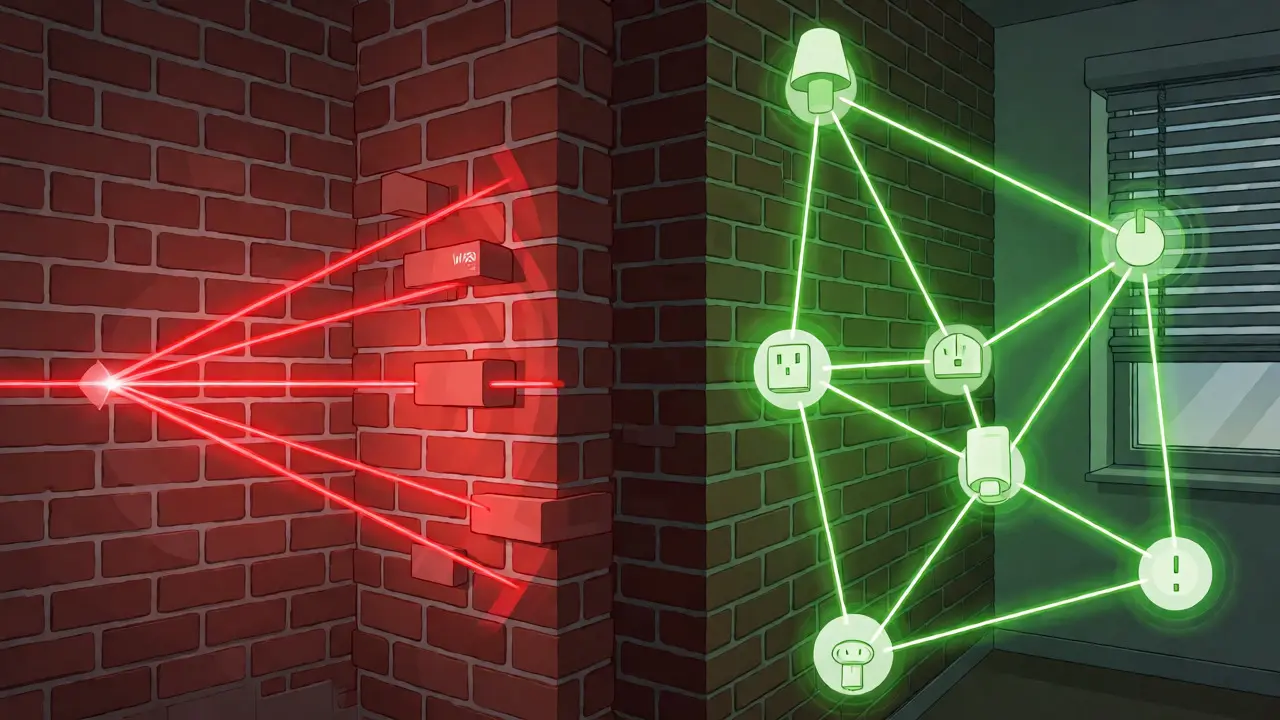
The biggest advantage of Zigbee is its mesh capability. In a Zigbee network, every powered device (like a plug-in smart bulb or a wired smart switch) acts as a repeater. If your smart blind hub is far from your bedroom shades, the signal doesn’t have to jump directly across the house. Instead, it hops from your hallway light, to your kitchen outlet, to the bedroom lamp, and finally to the blind motor. This extends the range significantly without needing extra hardware.
However, because Zigbee uses 2.4 GHz, it suffers from congestion. If you live in an apartment complex with dozens of neighbors’ Wi-Fi networks blasting signals on the same channel, your Zigbee blinds might experience interference. While Zigbee 3.0 introduced better channel hopping to mitigate this, it remains a concern in dense urban environments. For homeowners in Portland with older brick homes, the mesh feature is a lifesaver, but you’ll need enough powered devices scattered throughout the house to keep that mesh healthy.
Z-Wave: The Dedicated Lane
If Zigbee shares the highway with Wi-Fi, Z-Wave drives on its own dedicated lane. It operates on sub-GHz frequencies (typically 908.42 MHz in North America), which means it rarely interferes with your Wi-Fi, Bluetooth, or microwave ovens. This makes Z-Wave exceptionally reliable in crowded RF environments.
Z-Wave also utilizes a mesh network, similar to Zigbee, allowing devices to relay commands to each other. The key difference lies in interoperability and security. Historically, Z-Wave was proprietary, managed by the Z-Wave Alliance, which ensured strict compatibility standards. Today, while still controlled by a single body, it has opened up slightly more than before, though it remains stricter than Zigbee. This means if you buy a Z-Wave blind motor, you know it will work seamlessly with any certified Z-Wave hub, regardless of the brand.
The downside? Range per hop is generally shorter than Zigbee’s theoretical maximum, though in practice, the lack of interference often results in more consistent performance. Also, Z-Wave devices tend to be slightly more expensive due to the licensing fees manufacturers pay to use the technology. If you prioritize rock-solid reliability and plan to build a large ecosystem of sensors and locks alongside your blinds, Z-Wave is often the premium choice.
Wi-Fi: The No-Hub Option
Wi-Fi is the default option for many new smart blinds because it requires no additional hub. You simply download the manufacturer’s app, connect the blinds to your home router, and you’re done. This simplicity is appealing, especially for renters or those who only want to automate one or two windows.
But there’s a catch. Wi-Fi is power-hungry. Motorized blinds usually run on rechargeable lithium-ion batteries. A Wi-Fi connection keeps the radio active constantly to maintain the link with your router, draining the battery faster than Zigbee or Z-Wave, which sleep deeply between commands. You might find yourself charging your Wi-Fi blinds every 2-3 months, whereas Zigbee/Z-Wave models can last 6-12 months depending on usage.
Additionally, Wi-Fi blinds rely entirely on your internet connection. If your router crashes or your ISP has an outage, your blinds won’t respond to voice commands via Alexa or Google Assistant unless they have local processing capabilities (which many cheap Wi-Fi blinds lack). They also add load to your router. A typical home router can handle 20-30 devices comfortably. Add 10 smart blinds, plus lights, cameras, and phones, and you might start seeing latency issues unless you have a robust mesh Wi-Fi system.
Comparing the Contenders
To make this decision easier, let’s look at how these protocols stack up against specific needs. This table highlights the trade-offs you’ll actually encounter when installing smart blinds.
| Feature | Zigbee | Z-Wave | Wi-Fi |
|---|---|---|---|
| Hub Required? | Yes (usually) | Yes (usually) | No |
| Battery Life | Excellent (6-12 months) | Excellent (6-12 months) | Poor (2-3 months) |
| Interference Risk | High (2.4 GHz) | Low (Sub-GHz) | N/A (Uses Router) |
| Range Extension | Mesh (via powered devices) | Mesh (via powered devices) | Router Coverage Only |
| Cost | Moderate | Higher | Variable (often cheaper upfront) |
| Best For | Large homes, mixed ecosystems | Reliability-focused users | Renters, small apartments |
Integration with Voice Assistants and Ecosystems
It doesn’t matter how efficient the protocol is if you can’t control it easily. All three protocols integrate well with major platforms like Amazon Alexa, Google Home, and Apple HomeKit, but the method differs.
With Apple HomeKit, you’ll mostly encounter Thread (a newer IP-based mesh protocol similar to Zigbee) or Wi-Fi. Zigbee and Z-Wave require a bridge (like a HomePod mini or Apple TV) to communicate with HomeKit, adding a layer of complexity. If you are deep in the Apple ecosystem, ensure your chosen blinds explicitly support HomeKit natively or via a supported bridge.
For Android and Alexa users, Zigbee and Z-Wave are mature and stable. Most hubs (like Samsung SmartThings or Hubitat) translate these signals perfectly. Wi-Fi devices, however, sometimes suffer from "cloud dependency." This means when you say, "Alexa, open the blinds," the command goes from your Echo Dot to Amazon’s servers, then back to the blind manufacturer’s cloud, then to your blinds. That round trip can take 1-2 seconds. With Zigbee or Z-Wave, the command stays local within your home network, resulting in near-instant response times.
Installation Scenarios: Which One Fits Your Home?
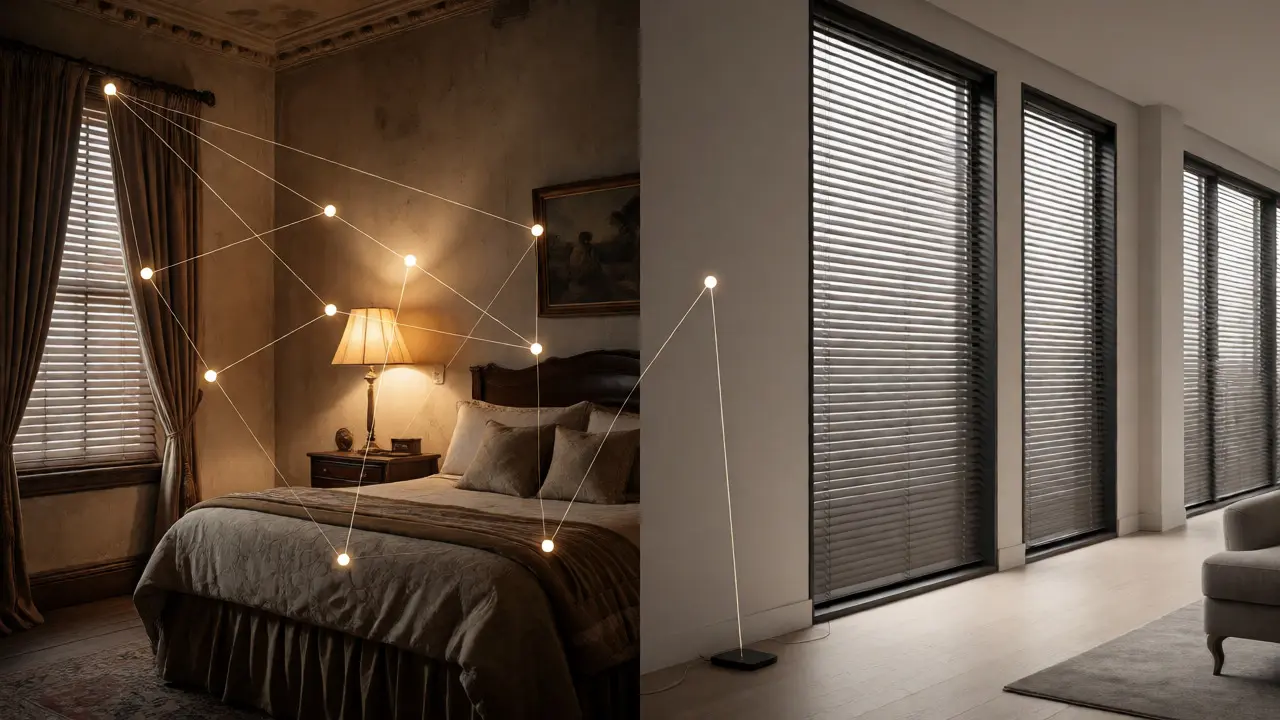
Let’s apply this to real-world situations. Imagine you live in a historic Victorian house in Portland with thick plaster and lath walls. Wi-Fi signals struggle to penetrate these materials. A Wi-Fi-only blind in the back bedroom might constantly disconnect. Here, Zigbee or Z-Wave shines because you can place a smart plug in the hallway to boost the mesh signal, bridging the gap without running new wires.
Now, consider a modern apartment downtown. You have fiber internet and a strong mesh Wi-Fi system covering every corner. You rent, so you can’t drill holes for hardwired controllers. In this case, Wi-Fi blinds are perfect. You avoid buying a hub, and since your Wi-Fi coverage is uniform, battery drain is the only minor inconvenience. You can set them to open slowly over 10 minutes rather than snapping open, reducing motor strain and battery usage.
What if you already have a smart home? If you use Philips Hue bulbs, they use Zigbee. Adding Zigbee blinds allows them to share the same Hue Bridge or a compatible third-party hub, consolidating your setup. If you use Lutron Caseta switches, they use their own proprietary Clear Connect protocol, which is excellent but isolated. Mixing protocols is fine, but keeping them unified simplifies troubleshooting.
Troubleshooting Common Connectivity Issues
Even the best systems fail. Here are quick fixes for common problems based on the protocol.
- Wi-Fi Blinds Not Connecting: Ensure your router broadcasts a 2.4 GHz signal. Many modern blinds cannot connect to 5 GHz bands. Separate the bands in your router settings if they are combined under one name.
- Zigbee Devices Dropping Off: Check your mesh health. If you moved a smart plug that was acting as a repeater, the blind might lose its path. Re-pair the device or add a new repeater nearby.
- Z-Wave Latency: If commands feel slow, check for duplicate nodes. Sometimes a device gets paired twice during setup. Remove all instances and re-pair once cleanly.
- Battery Drain Across All Types: Frequent opening/closing cycles kill batteries. Use scenes wisely. Instead of having the blinds adjust every hour based on sun position, program them to change only at dawn and dusk.
Final Verdict: Making the Switch
There is no single "best" protocol, only the best fit for your constraints. If you value simplicity and live in a small space with strong Wi-Fi, stick with Wi-Fi blinds. Accept the monthly charging routine as the cost of convenience. If you have a larger home, multiple rooms, and want seamless integration with other smart devices, invest in a Zigbee or Z-Wave hub. The initial cost of the hub pays off in battery savings and network stability.
Remember, the technology is moving toward Matter, a new universal standard that aims to make all these protocols speak the same language locally. However, until Matter adoption is ubiquitous, understanding the underlying radio frequency remains crucial for a smooth smart home experience. Choose based on your current infrastructure, not just the marketing hype.
Do I need a separate hub for Zigbee and Z-Wave blinds?
Generally, yes. Unlike Wi-Fi devices that connect directly to your router, Zigbee and Z-Wave devices communicate with a central controller (hub) that translates their signals for your phone or voice assistant. Some hubs, like Samsung SmartThings or Hubitat, support both protocols simultaneously, allowing you to mix and match devices on a single unit.
Which protocol offers better battery life for motorized blinds?
Zigbee and Z-Wave offer significantly better battery life than Wi-Fi. These protocols are designed for low-power operation, allowing devices to enter a deep sleep mode between commands. Wi-Fi radios must remain active to maintain a connection with the access point, which drains batteries much faster, often requiring charging every few weeks instead of several months.
Can Wi-Fi smart blinds work without internet?
It depends on the model. Many budget Wi-Fi blinds rely on cloud processing, meaning if your internet goes out, you cannot control them via voice assistants or remote apps, though physical buttons may still work. Higher-end Wi-Fi blinds with local API support or Matter certification can often operate locally on your LAN even if the WAN connection drops.
Is Z-Wave more secure than Zigbee?
Both protocols use AES-128 encryption, which is considered very secure for home automation. Z-Wave historically had stricter certification processes, leading to a perception of higher reliability and security consistency. However, Zigbee 3.0 has improved security features significantly. In practical terms, neither is easily hacked by casual attackers, and proper network management matters more than the protocol itself.
Will my Wi-Fi router slow down if I add 10 smart blinds?
Adding 10 devices to a modern dual-band router is usually negligible for bandwidth, as smart blinds send tiny packets of data. However, older or entry-level routers may struggle with the number of concurrent connections (clients). If you notice general Wi-Fi slowdowns, consider upgrading to a router with better CPU handling or using a mesh system to distribute the load.