Getting the most out of your security cameras isn’t about how many you buy-it’s about where you put them. A camera pointing at the sidewalk won’t stop a break-in if the intruder comes through the back alley. Smart placement turns your system from a passive recorder into an active shield. Here’s how to cover every blind spot and make your home harder to target.
Start with the front door
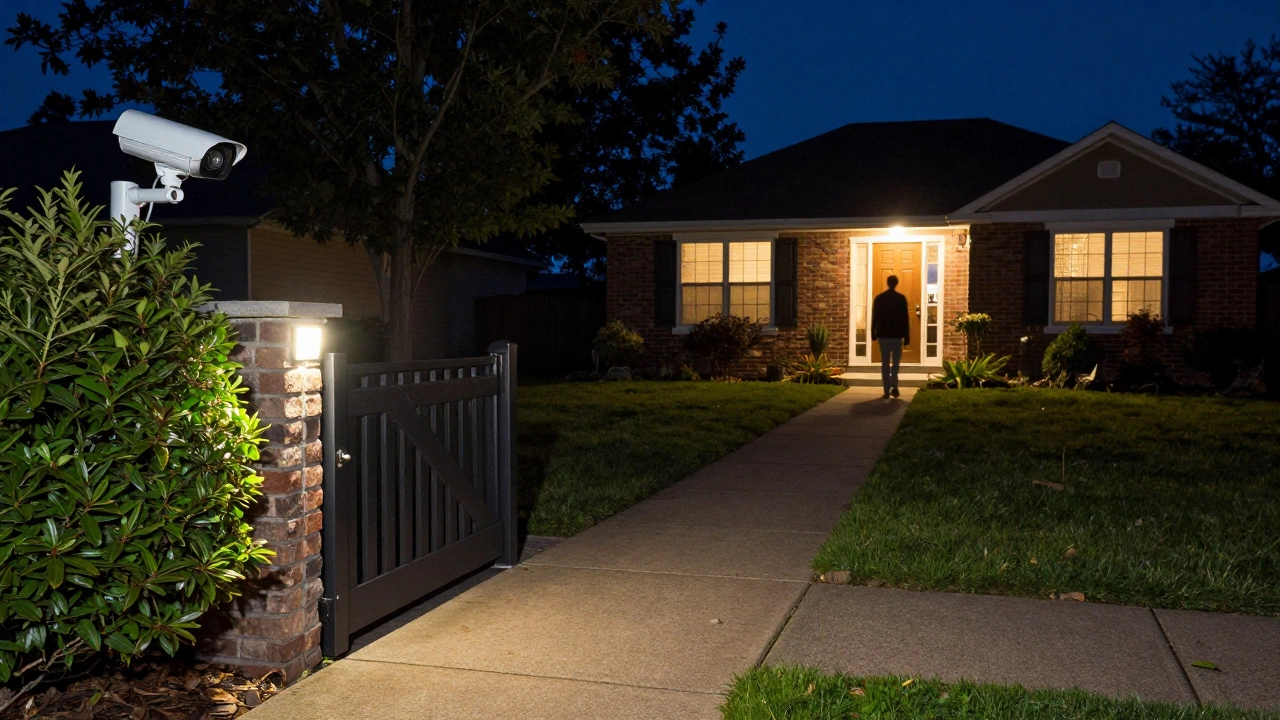
The front door is the most common entry point for burglars. According to the U.S. Department of Justice, over 30% of break-ins happen through the front door. That’s why your first camera should face it directly. Mount it about 7 to 8 feet high, angled slightly downward. This gives you a clear view of faces and packages without glare from sunlight or reflections off the door. Make sure the camera captures the entire doorway, including the handle and any nearby steps. If your porch has a roof, position the camera just outside it to avoid shadows.
Cover all side and back entrances
Most people forget about side gates, back doors, and garage entries. These are easy targets. A camera mounted near the garage door should cover both the door itself and the driveway leading to it. If you have a fenced backyard, place a camera where it can see the gate and any areas where someone could climb over. Don’t just point it at the gate-angle it so it catches anyone approaching from the side or hiding behind bushes. A camera with motion zones lets you ignore passing cars but still alert you if someone walks toward the house.
Watch the windows
Ground-floor windows are the second most common entry point. Cameras don’t need to point directly at every window-instead, position them to cover the area around windows from a distance. A camera mounted in a corner of the house, angled toward the side yard, can capture movement near multiple windows at once. If you have large picture windows, consider a camera with wide-angle lenses or pan-tilt-zoom features so you can adjust the view remotely. Avoid placing cameras inside looking out; they’ll reflect light and lose detail at night.
Use driveway and yard coverage wisely
Driveway cameras serve two purposes: they catch package thieves and give you early warning of someone approaching. Place one camera at the end of the driveway, facing the street, so you can see vehicles and people before they reach the house. If your yard is large, two cameras are better than one. One should cover the path from the street to the front door, and another should watch the side or back yard. Avoid pointing cameras at neighboring properties-this can cause privacy issues and reduce footage quality due to overexposure.
Think about lighting and night vision
Even the best camera is useless in the dark if it’s not paired with good lighting. Use motion-sensor lights near entry points. They don’t need to be bright-just enough to trigger the camera’s infrared night vision. Avoid placing cameras directly under bright porch lights; it creates harsh shadows and washes out faces. If your camera has color night vision, test it at dusk. Walk around your yard at night and check the footage. If your driveway looks like a black hole, you need to reposition or add a low-level light.
Eliminate blind spots with overlapping views
One camera covering one area isn’t enough. You need overlapping coverage. For example, if your front door camera sees the walkway, your driveway camera should also capture the same area from a different angle. This way, if one camera is blocked by snow, a tree, or a delivery person, the other still records. Overlap also helps you track movement. If someone walks from the driveway to the back door, you’ll see them on two cameras, not just one. This makes it easier to identify patterns and spot anomalies.
Use smart features to cut false alerts
Modern cameras let you set motion zones, person detection, and vehicle filters. Use them. If you live near a busy street, turn off motion alerts for cars. If your dog runs around the yard, draw a zone around the pet area and exclude it. This reduces notifications by up to 70%, so you don’t ignore real threats. A camera that alerts you every time a leaf blows by is useless. A camera that only alerts when a person stands at your door? That’s valuable.
Test your setup before you finalize
Don’t install all your cameras at once. Start with one or two, record for a week, and review the footage. Look for blind spots, glare, or areas where people disappear from view. Use your phone to walk around your property and see what each camera captures. Adjust angles. Move lights. Change height. Repeat. Most people make the mistake of installing cameras once and forgetting them. Security isn’t a one-time task-it’s an ongoing adjustment.
What not to do
Don’t hide cameras behind bushes or under eaves. It might feel stealthy, but it reduces image quality and makes it harder to identify faces. Don’t point cameras at public sidewalks unless you’re recording for evidence-this can raise legal concerns. Don’t rely on battery-only cameras for critical entry points. Cold weather in Portland drains batteries fast. Always use hardwired or solar-powered models where possible.
Final checklist
- Front door: clear view of entrance, 7-8 feet high
- Back door: covered by camera with motion zones
- Garage: camera sees door and driveway
- Windows: covered indirectly by corner cameras
- Driveway: one camera at street end, one near house
- Backyard: two angles to cover gate and paths
- Lighting: motion-sensor lights near all entry points
- Settings: motion zones, person detection enabled
- Testing: reviewed footage for 7+ days
How many security cameras do I need for a typical home?
Most homes need 3-5 cameras: one for the front door, one for the back door, one for the garage or side entry, and one or two to cover the driveway and yard. More isn’t better-coverage is. A single camera that misses the back alley is worse than five cameras that all cover the same spot.
Should I use indoor or outdoor cameras?
Outdoor cameras are essential-they catch intruders before they get inside. Indoor cameras can help monitor pets or deliveries, but they won’t stop a break-in. If you have a porch or covered entry, use weatherproof outdoor cameras there. Never rely on indoor cameras to protect your home’s perimeter.
Can I use solar-powered cameras in Portland?
Yes, but only if they have a backup battery and are mounted in full sun. Portland gets over 150 rainy days a year. Solar cameras work best on south-facing roofs or in open areas with no tree cover. If your camera loses power during a week of rain, you’ll be unprotected. Always pair solar with a rechargeable battery that lasts at least 5-7 days without sun.
Do I need a subscription to use security cameras?
No. Many cameras store footage locally on SD cards or network drives. Subscriptions unlock cloud storage, smart alerts, and longer retention. If you only want to see who’s at your door, a local storage camera with motion detection is enough. But if you want to review footage from last week while you’re away, a subscription makes sense.
How often should I check my camera angles?
Check them every season. Trees grow. Snow piles up. New fences go up. A camera that worked perfectly in summer might be blocked by leaves in fall. Set a reminder every March and September to walk around your property and review footage. It takes 10 minutes-but it keeps your home safe.