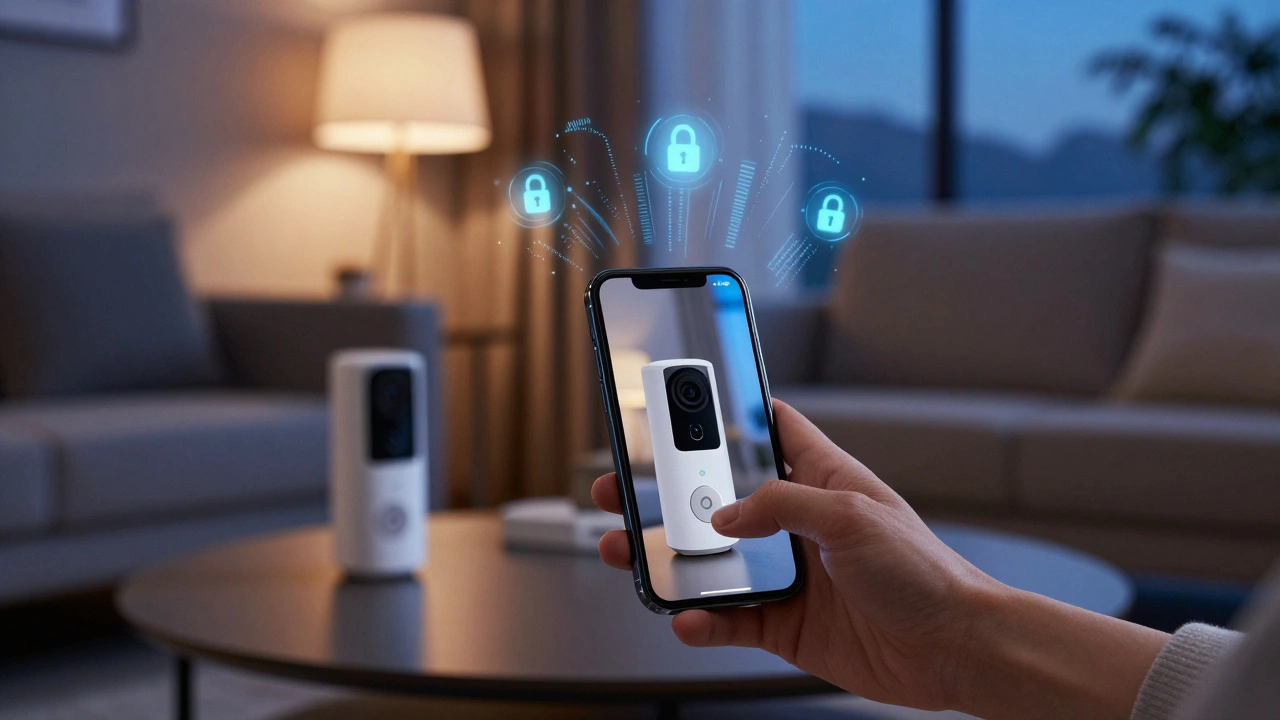
Imagine checking your front door camera from a coffee shop in Tokyo while living in Portland. It feels convenient until you realize that every packet of data traveling between that camera and your phone is exposed to potential interception. For many homeowners, the excitement of smart home automation is a system that connects household devices like lights, locks, and cameras to the internet for remote control quickly turns into anxiety when they consider who else might be watching. The core problem isn't just about having gadgets; it's about creating a secure tunnel for your digital life.
When you connect devices to the internet, you are essentially punching holes in your home's digital walls. Without proper protection, these holes allow unauthorized access. This is where a Virtual Private Network (VPN) becomes a technology that creates an encrypted connection over another less secure network, such as the public internet and robust network security measures come into play. They act as both the guard at the gate and the armored truck transporting your data. Let’s break down how to set this up so you can access your home remotely without handing the keys to strangers.
Why Your Smart Home Needs More Than Just a Password
Most people assume that changing the default password on their router or smart hub is enough. It’s not. Default passwords are easy to guess, but even strong passwords can be stolen if the data transmission isn't encrypted. When you use Wi-Fi at a hotel or airport, your traffic is visible to anyone on that same network. If your smart home app sends data in plain text, a hacker sitting next to you could intercept your login credentials or even take control of your devices.
The risk extends beyond simple eavesdropping. Many Internet of Things (IoT) devices have weak built-in security. A cheap smart bulb or an older generation security camera might not support modern encryption standards. By placing these devices behind a secure network layer, you isolate them from direct exposure. Think of it like putting a fragile vase inside a steel box before shipping it. The vase itself might be delicate, but the box protects it during transit.
Consider the scenario of a compromised thermostat. While it doesn’t seem dangerous, hackers often use low-security IoT devices as entry points to infiltrate more valuable assets on the same network, like your laptop or NAS drive containing personal photos and documents. Securing the perimeter stops this lateral movement before it starts.
Understanding the Core Technologies: VPN vs. Firewall
To build a solid defense, you need to understand two main tools: the Virtual Private Network and the firewall. They serve different but complementary roles. A firewall is a network security system that monitors and controls incoming and outgoing network traffic based on predetermined security rules. It acts as a barrier between your trusted internal network and untrusted external networks, like the internet.
A firewall decides who gets in. It checks the ID badge of every visitor. If the badge isn’t on the approved list, the firewall blocks them. However, once someone is inside your house, the firewall doesn’t necessarily protect what they do. That’s where the VPN comes in. A VPN encrypts the data moving between your device and your home network. Even if someone intercepts that data, it looks like gibberish to them.
| Feature | Firewall | VPN |
|---|---|---|
| Primary Function | Blocks unauthorized access attempts | Encrypts data in transit |
| Analogy | Bouncer at the club door | Armored car for delivery |
| Best For | Preventing port scans and intrusions | Safe travel over public Wi-Fi |
| Limitation | Doesn't encrypt data once allowed in | Requires setup on both ends |
Using both together creates a layered defense strategy, often called "defense in depth." You want your firewall to block 99% of attacks automatically, and your VPN to protect the 1% of legitimate traffic that needs to cross public boundaries.
Setting Up a Secure Remote Connection
You don’t need to be a cybersecurity expert to secure your home network. There are three primary ways to achieve secure remote access, ranging from easiest to most robust.
- Cloud-Based Services: Most major smart home brands offer cloud connectivity. This is the easiest method because it requires no setup. However, your data travels through the manufacturer’s servers. While convenient, this introduces a third party into your private space. If the company suffers a data breach, your home details are at risk.
- Consumer VPN Apps: Services like NordVPN or ExpressVPN are great for protecting your laptop or phone when you are away from home. They encrypt your browsing activity, but they do not directly secure your home network infrastructure. They protect you, not your house.
- Self-Hosted VPN Server: This is the gold standard for privacy. You install VPN server software on a device within your home network, such as a Raspberry Pi, a dedicated NAS, or your router if it supports OpenWrt or DD-WRT. This allows you to create a direct, encrypted tunnel back to your home network from anywhere in the world.
For true security, the self-hosted approach is superior. It keeps your data local and under your control. You become the administrator of your own digital domain. No corporate server logs your access patterns.

Implementing a Self-Hosted VPN with WireGuard
If you decide to go the self-hosted route, WireGuard is an extremely simple yet fast and modern VPN that utilizes state-of-the-art cryptography. Unlike older protocols like PPTP or even OpenVPN, WireGuard is lightweight, fast, and easier to configure. It uses modern cryptographic primitives that are harder to exploit.
Here is a simplified workflow for setting this up:
- Choose a Host Device: A Raspberry Pi 4 or 5 is popular due to its low power consumption and small size. Alternatively, check if your router supports installing custom firmware like OpenWrt, which includes WireGuard packages.
- Install the Software: On a Linux-based device, you can install WireGuard via the terminal using package managers like apt or pacman. Follow the official documentation for your specific operating system.
- Generate Keys: WireGuard uses public and private key pairs. Generate a unique pair for the server (your home) and each client (your phone, laptop).
- Configure the Server: Edit the server configuration file to listen on a specific port (e.g., 51820 UDP). Ensure this port is forwarded on your home router to the device running the VPN server.
- Configure Clients: Install a WireGuard client app on your mobile devices. Import the client configuration files that contain the server’s public key and your device’s private key.
- Test the Connection: Connect to the VPN and try accessing a local IP address of one of your smart devices. If it works, you have successfully created a secure tunnel.
This setup ensures that when you are at a cafe, your phone thinks it is physically plugged into your home network. All communication is encrypted end-to-end.
Network Segmentation: The Ultimate Safety Net
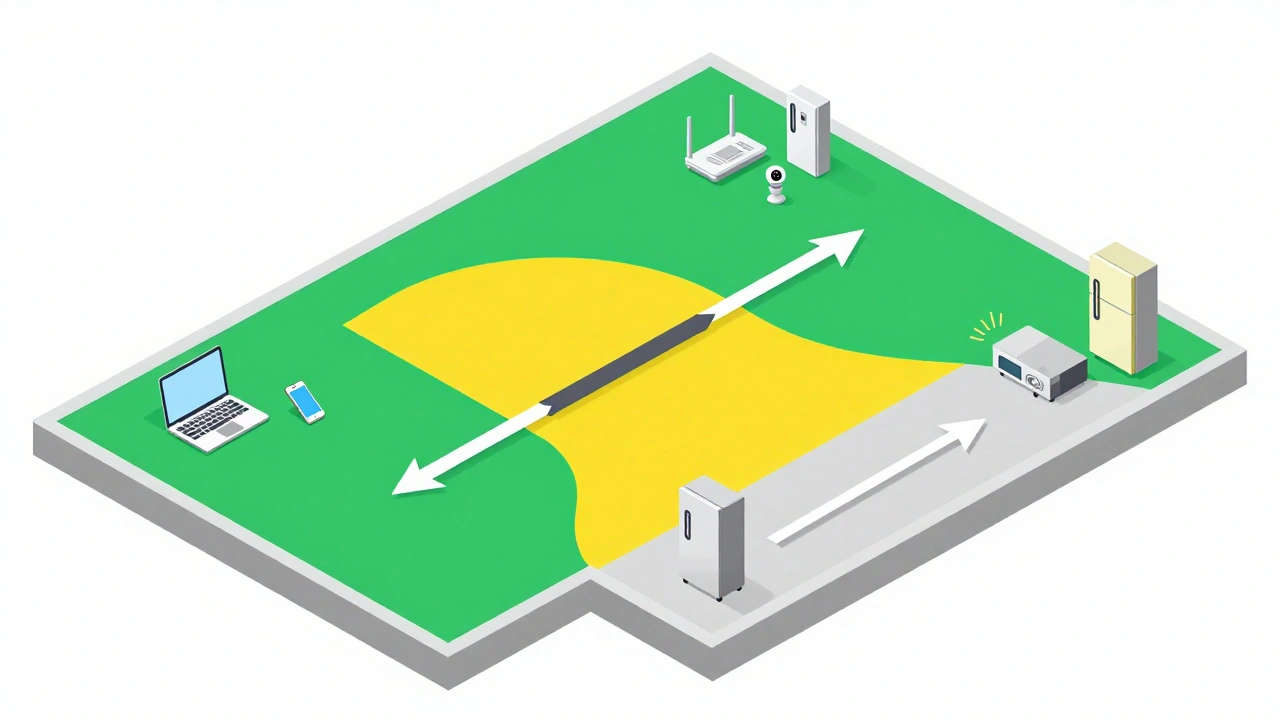
Even with a VPN, you should not trust all devices equally. This is where network segmentation becomes the practice of dividing a computer network into smaller sub-networks to improve performance and security crucial. Imagine your home network as a large office building. You wouldn’t let the cleaning crew into the executive vault, right? Similarly, your smart fridge shouldn’t have access to your financial records stored on your desktop computer.
Most modern routers allow you to create separate VLANs (Virtual Local Area Networks) or guest networks. Here is how you should structure yours:
- Main Network: Reserved for trusted devices like your laptop, work computer, and smartphones. These devices have full access to the internet and other resources.
- IoT Network: A segregated network for smart bulbs, plugs, cameras, and thermostats. These devices can communicate with the internet for updates and cloud services, but they cannot initiate connections to your main network. This prevents a compromised smart bulb from scanning your laptop for vulnerabilities.
- Guest Network: For visitors. Keep this completely isolated from both the main and IoT networks. Provide the password easily, but ensure it offers zero access to your personal data.
By segmenting your network, you limit the blast radius of any potential breach. If a hacker breaks into your smart lock, they are stuck in the IoT zone. They cannot jump over to your main network to steal your identity.
Maintaining Security Over Time
Security is not a one-time setup; it is an ongoing process. Firmware updates for your router and smart devices are critical. Manufacturers regularly patch security holes discovered after release. Ignoring these updates leaves known vulnerabilities open for exploitation.
Enable automatic updates wherever possible. For your VPN server, keep the operating system and WireGuard software updated. Change your pre-shared keys and passwords periodically. Use a password manager to generate complex, unique passwords for each device and service. Avoid reusing the same password across your email, bank, and smart home account.
Regularly review connected devices. Log into your router’s admin panel monthly to see what is connected. If you see a device you don’t recognize, disconnect it immediately and change your Wi-Fi password. Vigilance is your best tool against unnoticed intruders.
Common Pitfalls to Avoid
Many users make mistakes that undermine their security efforts. One common error is disabling UPnP (Universal Plug and Play) without understanding its implications. While UPnP can be convenient for gaming consoles, it can also allow malware to open ports on your router automatically. Disable it unless you specifically need it, and then manually configure port forwarding instead.
Another pitfall is relying solely on WPA3 encryption without additional layers. WPA3 is excellent, but it doesn’t stop determined attackers from exploiting application-level vulnerabilities. Always combine strong Wi-Fi encryption with network segmentation and a VPN for remote access.
Finally, don’t ignore physical security. A hacker can reset your router to factory defaults if they have physical access to it. Keep your router in a locked cabinet or a room that isn’t accessible to visitors. Physical access often bypasses digital defenses entirely.
Do I really need a VPN if I already have a good antivirus?
Antivirus software protects your individual devices from malware, but it does not secure the network traffic between those devices and the internet. A VPN encrypts that traffic, preventing interception on public networks. They serve different purposes and work best together.
Is a self-hosted VPN difficult to maintain?
Initial setup requires some technical knowledge, particularly with command-line interfaces. However, once configured, maintenance is minimal. Occasional software updates and key rotations are sufficient. Tools like Docker can simplify deployment on devices like Raspberry Pi.
Can I use a commercial VPN service to secure my home network?
Commercial VPNs primarily protect your outbound traffic when you are away from home. They do not typically provide a way to securely access your local home network remotely. For remote home access, a self-hosted solution or a provider offering a "local network access" feature is required.
What is the best router firmware for advanced security?
OpenWrt and DD-WRT are popular open-source firmware options that offer advanced features like VLAN support, integrated VPN servers, and granular firewall controls. Check compatibility lists before purchasing hardware to ensure your router supports these firmwares.
How does network segmentation help with IoT security?
IoT devices often have weak security protocols. By placing them on a separate network segment, you prevent them from communicating with your sensitive devices like computers and phones. If an IoT device is compromised, the attacker is contained within that segment and cannot access your personal data.