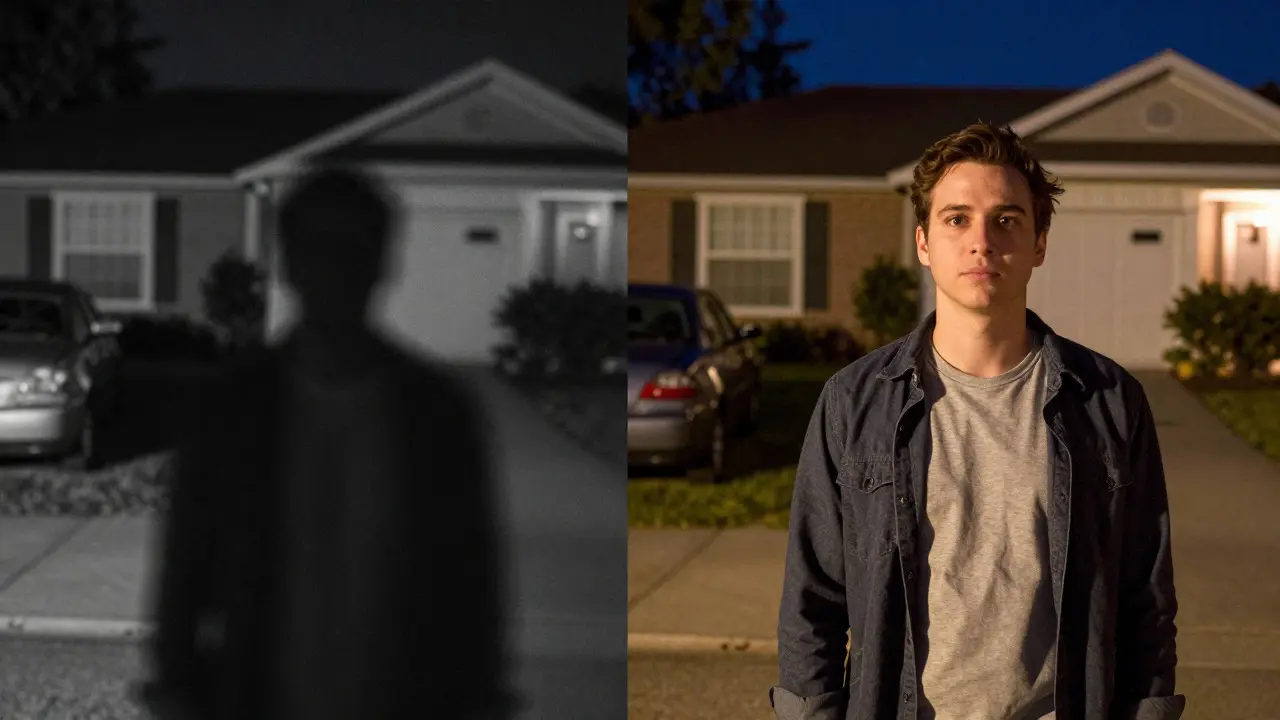
Imagine this: It’s 2 AM. A shadow moves across your driveway. You check your phone, expecting to see a clear image of who or what it is. Instead, you get a grainy, black-and-white blob that looks like static from an old TV. Or maybe the opposite happens: the scene is bright, but the details are washed out because the camera struggled to balance the light. This is where the debate between night vision and High Dynamic Range (HDR) becomes critical for anyone serious about home security.
Most people assume these two features do the same job. They don’t. One helps you see in the dark; the other helps you see through contrast. Understanding the difference isn't just technical trivia-it determines whether you can actually identify a face, read a license plate, or spot a break-in attempt when it matters most. Let’s break down what each technology does, when you need it, and how to choose the right setup for your specific environment.
The Core Difference: Darkness vs. Contrast
To understand why one feature might be better than the other for your needs, we have to look at what problem each solves. Night Vision is a set of technologies designed to capture images in low-light conditions by amplifying available light or using infrared illumination. Think of it as turning up the brightness on your camera until you can see in pitch blackness. On the other hand, HDR (High Dynamic Range) is a processing technique that combines multiple exposures to preserve detail in both very bright and very dark areas of a single frame. It doesn’t make things brighter; it makes the range of visible light wider.
Here is a simple analogy. Night vision is like wearing night-vision goggles in a cave. You can see, but everything is green and monochromatic. HDR is like having eyes that can handle the transition from a sunny street into a dark alley without blinking. If your main concern is total darkness, night vision wins. If your concern is mixed lighting-like a porch light against a dark sky-HDR wins. Many modern smart cameras try to do both, but they often prioritize one over the other based on their hardware budget.
How Night Vision Actually Works
Night vision isn't a single magic trick. It comes in a few flavors, and knowing which one your camera uses will tell you a lot about its capabilities. The three main types are Full Color Night Vision, Infrared (IR) Illumination, and Starlight Sensors.
- Infrared (IR) Illumination: This is the standard for most budget and mid-range cameras. The camera has small LEDs that emit invisible IR light. When it gets dark, these LEDs turn on, and the sensor switches to black-and-white mode. The benefit? You get a clear image even in zero ambient light. The downside? No color, and the range is limited (usually 30-50 feet). If something stands beyond that range, it disappears into the dark.
- Starlight Sensors: These use larger sensors with bigger pixels that can gather more light. They don’t rely on IR LEDs as heavily. Instead, they boost the natural moonlight or streetlights. The result is a full-color image in very dim conditions. However, if there is absolutely no light, they still need to switch to IR mode, which means you lose color again.
- Full Color Night Vision: Some premium cameras combine powerful IR lights with high-sensitivity sensors to keep the image in color even in near-darkness. This is great for identifying clothing colors or car brands, but it drains batteries faster and can sometimes create a "halo" effect around bright objects.
When evaluating night vision, always check the effective range. Manufacturers often list the maximum range under ideal lab conditions. In real life, weather, foliage, and obstructions reduce this significantly. A camera claiming 100 feet of IR range might only provide usable identification at 40 feet in a rainy Portland evening.
The Role of HDR in Real-World Scenarios
HDR sounds like a fancy marketing term, but it solves a very common frustration: blown-out highlights. Have you ever looked at a security feed where the sky is pure white and the ground is pitch black? That’s a lack of dynamic range. Your human eye adjusts constantly, but a standard camera takes one snapshot exposure. If the sky is too bright, the camera lowers the exposure to save the sky, making the foreground too dark to see.
HDR fixes this by taking multiple quick shots-one for the bright parts, one for the dark parts-and merging them. The result is a balanced image where you can see the person walking in the shade and the details of the bright background. This is crucial for entrances with strong backlighting, such as a door facing a sunset or a window reflecting interior lights.
However, HDR has a catch. It requires faster shutter speeds and more processing power. In moving scenes, if the subject moves quickly between the multiple exposures, you might see "ghosting"-a blurry double image. This is why HDR works best for stationary subjects or slow-moving threats. For a fast-running intruder, a standard high-frame-rate camera might actually perform better than an HDR-enabled one if the processing isn't optimized.
Comparison: Which Feature Should You Prioritize?
There is no universal winner. The right choice depends on your specific environment. Here is a breakdown to help you decide:
| Feature | Night Vision (IR/Starlight) | HDR (High Dynamic Range) |
|---|---|---|
| Primary Use Case | Total darkness or very low light | Mixed lighting with high contrast |
| Image Type | Black & White (IR) or Color (Starlight) | Color (Balanced Exposure) |
| Best For | Backyards, driveways, remote gates | Front doors, windows, storefronts |
| Weakness | Limited range, loss of color in IR mode | Ghosting on fast motion, higher cost |
| Power Consumption | Higher (IR LEDs draw power) | Moderate (Processing intensive) |
If you live in a rural area with little street lighting, prioritize night vision with a long IR range. If you live in a city with lots of streetlights and reflective surfaces, prioritize HDR to cut through the glare. Ideally, you want a camera that offers both, but know which one is the primary driver. A camera with weak HDR and mediocre night vision is worse than a camera with excellent night vision and basic HDR.
Practical Tips for Choosing the Right Camera
Before you buy, walk your property at different times of day. Note where the light sources are. Is there a streetlight that blows out the top half of your frame? That’s an HDR candidate. Is there a corner of the yard that never sees sunlight? That’s a night vision priority.
- Check the Sensor Size: Larger sensors (1/1.8 inch or bigger) generally handle low light better than smaller ones (1/2.7 inch), regardless of marketing claims. This is the foundation of good night vision.
- Look for WDR (Wide Dynamic Range): Sometimes labeled as HLC (High Light Compensation) or DWDR. True HDR is rare in budget models; WDR is a cheaper alternative that still helps with contrast. Don’t pay a premium for "True HDR" if you don’t have extreme lighting issues.
- Consider Audio: Night vision cameras often come with microphones. In the dark, hearing footsteps or voices can be more valuable than seeing a blurry figure. Ensure the audio is clear and not distorted by wind.
- Test the App Interface: How easy is it to switch modes? Some cameras auto-switch between Day/Night and HDR automatically. Others require manual adjustment. Automatic is safer for 24/7 monitoring.
Also, consider the storage implications. HDR and high-resolution night vision generate larger video files. If you’re using local SD cards, make sure you have enough capacity. Cloud storage plans may charge extra for high-bandwidth uploads during night hours when data usage spikes.

Common Pitfalls to Avoid
One of the biggest mistakes buyers make is focusing solely on megapixels. A 4K camera with poor low-light performance will produce a huge, noisy file that is useless for identification. A 1080p camera with excellent starlight sensors will give you a clearer, more usable image in the dark. Always look for reviews that show actual night footage, not just spec sheets.
Another pitfall is ignoring lens quality. A cheap lens can introduce distortion or blur, especially at the edges of the frame. This affects both day and night performance. Look for lenses with wide apertures (f/1.6 or lower) to let in more light.
Finally, don’t forget about placement. Even the best night vision camera can’t see through dense bushes. Clear the line of sight. And for HDR, avoid placing cameras directly facing strong light sources unless you specifically need to monitor that light source itself.
Frequently Asked Questions
Is HDR better than night vision for security cameras?
It depends on your lighting conditions. HDR is better for scenes with high contrast (bright and dark areas together), while night vision is essential for total darkness. Most modern cameras offer both, so you should look for a model that balances both capabilities rather than choosing one over the other.
Do I need color night vision for my home?
Not necessarily. Black-and-white IR night vision is often sharper and has a longer effective range than color night vision. Color is useful for identifying specific details like clothing or car colors, but for general motion detection and facial recognition, monochrome IR is usually sufficient and more reliable in true darkness.
What is the difference between WDR and HDR?
WDR (Wide Dynamic Range) and HDR (High Dynamic Range) both aim to improve contrast handling. WDR is typically a software-based enhancement that blends exposures within a single sensor readout, while true HDR often involves capturing multiple distinct frames. HDR generally provides a wider dynamic range (e.g., 120dB+) compared to WDR (e.g., 90dB+), but WDR is less prone to ghosting artifacts.
How far can night vision cameras see clearly?
For most consumer-grade smart security cameras, the effective identification range for IR night vision is between 30 and 50 feet. Beyond this distance, the image becomes too dim or noisy to reliably identify faces or license plates. Premium models with powerful IR arrays may reach 80-100 feet, but this is rare in standard home setups.
Does HDR drain battery faster?
Yes, slightly. Processing HDR requires more computational power from the camera's processor, which consumes more energy. However, the difference is usually minimal compared to the power draw of IR LEDs. If you are using a battery-powered camera, prioritize efficient sensors and motion-triggered recording over constant HDR processing to extend battery life.