Imagine getting a call that sounds exactly like your bank, but the voice is slightly off. Or clicking a link in an email that looks just like a letter from your utility company, only to find your credit card drained. For many adults over 60, these aren't hypotheticals-they are daily realities. The internet offers incredible connection and convenience, but it also hides traps set by sophisticated fraudsters who know that trust is a powerful currency. You don't need to be a tech expert to stay safe; you just need to understand how the modern web works and where the cracks in the armor are.
This guide cuts through the noise. It doesn't just tell you to "be careful." It gives you specific tools, simple habits, and clear red flags to help you navigate the digital world with confidence. Whether you're checking emails on a tablet or shopping for groceries online, these strategies will help you keep your money and your peace of mind.
The Three Biggest Digital Threats
Not all cyber threats are created equal. To protect yourself effectively, you first need to know what you're fighting against. Most scams targeting seniors fall into three main categories: phishing, social engineering, and malware. Understanding the difference between them changes how you react when something feels wrong.
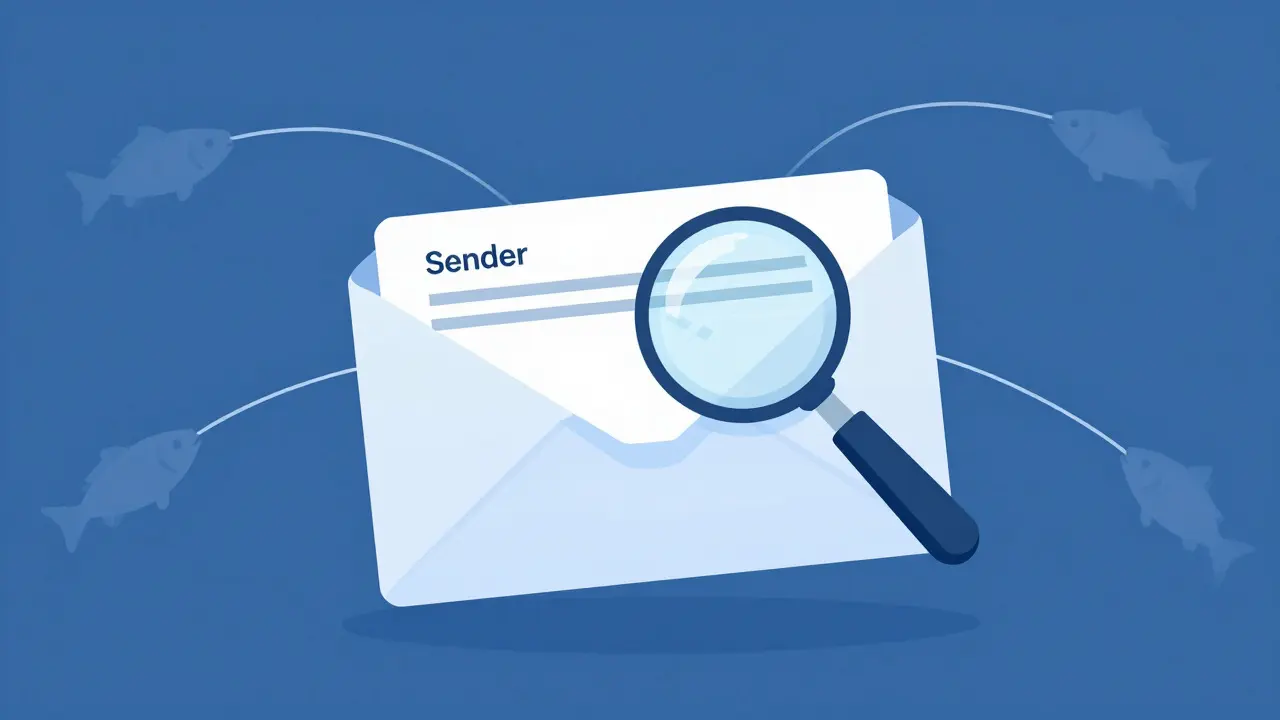
Phishing is a type of cyber attack where scammers send fake messages, usually via email or text, to trick you into revealing personal information like passwords or credit card numbers. Think of it as fishing: they cast a wide net with a lure (the fake message) hoping someone bites. These messages often look urgent, claiming you've won a prize, have a package stuck at customs, or need to verify your account immediately. The goal is to make you act fast before you think twice.
Social engineering is different because it targets your psychology rather than your technology. This involves phone calls, door-to-door visits, or even in-person interactions where a scammer builds trust quickly. They might pose as a grandchild in trouble, a government agent, or a tech support specialist. Because they use human tactics, no amount of antivirus software can stop them-only your skepticism can.
Finally, there's malware, which is malicious software that infects your device. It often enters through phishing links or free downloads. Once inside, it can steal data, lock your files for ransom, or turn your computer into a zombie machine that sends spam to your contacts. The key takeaway here is that while technology helps, your behavior is the first line of defense.
Building Your First Line of Defense: Email Hygiene
Your inbox is the front door of your digital life. If you leave it unlocked, anyone can walk in. The good news? Keeping it secure requires less effort than you might think. It’s about developing a few automatic checks before you click anything.
- Check the sender's address, not just the name. A scammer might display the name "Amazon," but if the email address is [email protected], it's a fake. Legitimate companies use their official domain names.
- Hover over links before clicking. On a desktop, move your mouse cursor over a link without clicking. A small box will appear showing the actual destination URL. If it looks messy, long, or unfamiliar, don't click.
- Beware of urgency. Real banks rarely give you five minutes to act. If an email says "Act now or lose access," pause. Take a breath. Call the company using a number you know is correct (from the back of your credit card, not the one in the email).
- Watch for generic greetings. If an email starts with "Dear Customer" instead of your name, it was likely sent to thousands of people. While not always a scam, it lowers the level of personalization and increases risk.
Make this a habit. It takes ten seconds, but it blocks 90% of common phishing attempts. Over time, spotting these errors becomes second nature, like noticing a typo in a newspaper headline.
Securing Your Devices Without Tech Headaches
You don't need to install complex software or become a coding wizard to secure your laptop or smartphone. In fact, too much software can slow down your device and create new vulnerabilities. Stick to the basics, and do them consistently.
First, update your operating system regularly. When Windows or iOS asks you to update, say yes. These updates often patch security holes that hackers are actively looking for. It’s like changing the locks on your house every time a new key-cutting technique is discovered.
Next, use strong, unique passwords. Reusing the same password for your email, bank, and social media is like using the same key for your front door, your car, and your mailbox. If one is compromised, everything is open. Instead, use a password manager. These apps generate and store complex passwords for you, so you only need to remember one master password. Popular options include 1Password and LastPass, which are user-friendly and work across devices.
Finally, enable two-factor authentication (2FA). This adds a second step to logging in. After entering your password, you’ll get a code via text message or an authenticator app. Even if a hacker steals your password, they still need that second code, which is on your phone. It’s a simple addition that dramatically reduces the chance of account takeover.
Recognizing Social Engineering Tricks
Technology fails when humans trust too easily. Social engineering scams rely on speed, authority, and emotion. Here are the most common scripts used by scammers and how to spot them instantly.
The "Grandchild in Trouble" Call: A caller claims to be your grandchild, saying they’ve been arrested or need bail money urgently. They ask you not to tell the parents. Red flag: Real family members rarely hide big news from parents. Hang up and call the actual grandchild directly.
The "Tech Support" Pop-up: You’re browsing the web, and a full-screen pop-up appears saying, "Your Computer Has a Virus! Call 1-800-XXX-XXXX Now." Red flag: Genuine tech issues rarely announce themselves with a giant billboard. Close the window using the X in the corner, not the button on the pop-up itself, and ignore the call.
The IRS or Government Audit: A caller says you owe back taxes and must pay immediately by wire transfer or gift cards. Red flag: The IRS almost never demands immediate payment via phone, and they prefer checks or direct debit, not cash or gift cards. If it sounds too aggressive, hang up and verify with the official agency website.
The golden rule? If a stranger pressures you to make a financial decision quickly, it’s almost certainly a scam. Take your time. Scammers hate delays because it gives you time to think and verify.
Shopping Online Safely
Online shopping is convenient, but it requires vigilance. Not every website is legitimate, and some look deceptively professional. Before you enter your credit card details, run through this quick checklist.
- Look for HTTPS. Check the address bar. It should start with "https://" and have a padlock icon. This means the connection is encrypted. While not a guarantee of honesty, it prevents eavesdropping on your data during transmission.
- Check for contact info. Legitimate stores list a physical address, phone number, and customer service email. If you can’t find any way to reach them besides a chatbot, be cautious.
- Read reviews carefully. Don’t just look at the star rating. Read the 3-star and 4-star reviews. They often contain more honest feedback than the glowing 5-star ones. Look for patterns in complaints about shipping times or product quality.
- Use a credit card, not a debit card. Credit cards offer better consumer protection under the Fair Credit Billing Act. If a merchant disappears with your money, it’s easier to dispute the charge on a credit card than a debit card, which pulls directly from your bank account.
If a deal seems too good to be true-like designer handbags for $20-it probably is. Trust your gut. If you feel a pang of doubt, wait 24 hours. Often, the urge to buy fades, and you realize you didn’t really need it.

What to Do If You Get Scammed
Let’s be real: even the most careful people make mistakes. If you click a bad link or answer a scam call, don’t panic. Panic leads to more mistakes. Follow these steps immediately to limit the damage.
- Change your passwords. Start with your email, then your bank, then any other accounts where you reused that password. Use a temporary strong password if you can’t remember your old one.
- Call your bank. If money was taken, call your bank’s fraud department immediately. Ask to freeze your account or issue new cards. Speed matters here-the faster you report it, the higher the chance of recovering funds.
- Report it to the FTC. File a complaint with the Federal Trade Commission (FTC). Their database helps track scam trends and shut down operations. It doesn’t guarantee your money back, but it helps others avoid the same trap.
- Scan your device. Run a full virus scan. If you entered credentials on a suspicious site, assume those credentials are compromised and change them everywhere they were used.
Keep a list of important phone numbers handy: your bank, your internet provider, and the FTC. Write them down and stick them on your fridge. In a stressful moment, finding the right number shouldn’t be a scavenger hunt.
Creating a Family Safety Plan
You don’t have to do this alone. Involve trusted family members or friends in your digital safety plan. This isn’t about letting them control your life; it’s about having a backup brain.
Designate one person as your "tech buddy." This could be a child, grandchild, or neighbor who is comfortable with technology. Agree on a protocol: if you get a weird email, show it to them before acting. If you get a scary phone call, put it on speaker and let them listen. Having a second opinion breaks the isolation that scammers rely on.
Also, schedule regular check-ins. Once a month, sit down together and review your email spam folder, check for unusual bank charges, and ensure your software is updated. Make it casual-over coffee or tea. It’s less like a security audit and more like catching up on life. This routine keeps you connected to your tech and ensures nothing slips through the cracks.
Finally, keep learning. Technology changes, and so do scams. But the core principles remain the same: slow down, verify, and trust your instincts. By staying curious and engaged, you turn the internet from a source of anxiety into a tool for connection and independence.
Is it safe to use public Wi-Fi?
It’s risky. Public Wi-Fi networks are often unencrypted, meaning hackers can see your data. Avoid online banking or entering passwords on public Wi-Fi. If you must use it, connect to a Virtual Private Network (VPN) to encrypt your traffic, or simply wait until you’re home on your secure network.
Do I need expensive antivirus software?
No. Free options like Windows Defender (built into Windows) or Malwarebytes are excellent for most users. Paid suites often add features you may not need, like identity theft insurance or cloud storage. Focus on keeping your software updated and practicing good email hygiene instead of spending on premium antivirus.
How often should I change my passwords?
You don’t need to change them monthly unless you suspect a breach. Modern advice suggests using long, unique passwords and changing them only if you reuse them elsewhere or if a service reports a data leak. Consistency and uniqueness matter more than frequency.
Are smartphones safer than computers?
Generally, yes. Smartphones have closed ecosystems, making it harder for malware to spread compared to Windows PCs. However, they are vulnerable to SIM swapping and phishing via text messages (smishing). Keep your phone locked with a biometric scan or strong PIN, and be wary of texts asking for personal info.
What should I do if I receive a phone call about a 'free' prize?
Hang up. If you haven’t entered a contest, you haven’t won a prize. Even if you have, legitimate winners are contacted via official channels, not random cold calls demanding immediate action. If you want to verify, look up the company’s official website independently and check their announcements.