Walking into your house after a rainy day in Portland, you notice that damp, heavy feeling in the air. It’s not just uncomfortable; it’s a sign that your smart thermostat is working hard to manage more than just temperature. Modern devices don’t just keep things warm or cool; they actively monitor and adjust relative humidity to protect your health and your home structure. If you’ve been wondering how these gadgets actually improve your indoor air quality, the answer lies in their ability to balance moisture levels automatically.
High humidity breeds mold and dust mites, while low humidity dries out your skin and irritates your sinuses. A smart system bridges this gap by using sensors to detect changes in real-time. This article breaks down exactly how humidity control works within these devices, which features matter most for your air quality, and how to set them up so you stop guessing and start breathing easier.
Key Takeaways
- Humidity control prevents mold growth and reduces allergens like dust mites by keeping moisture between 30% and 50%.
- Smart thermostats use capacitive sensors to measure ambient moisture without needing external hygrometers.
- Integration with air purifiers and dehumidifiers creates a closed-loop system for optimal air quality.
- Proper calibration of humidity settings can reduce energy bills by up to 15% by preventing over-conditioning.
- Features like "Auto-Humidify" and "Dehumidify Mode" allow the system to respond dynamically to weather changes.
How Smart Thermostats Measure and Manage Humidity
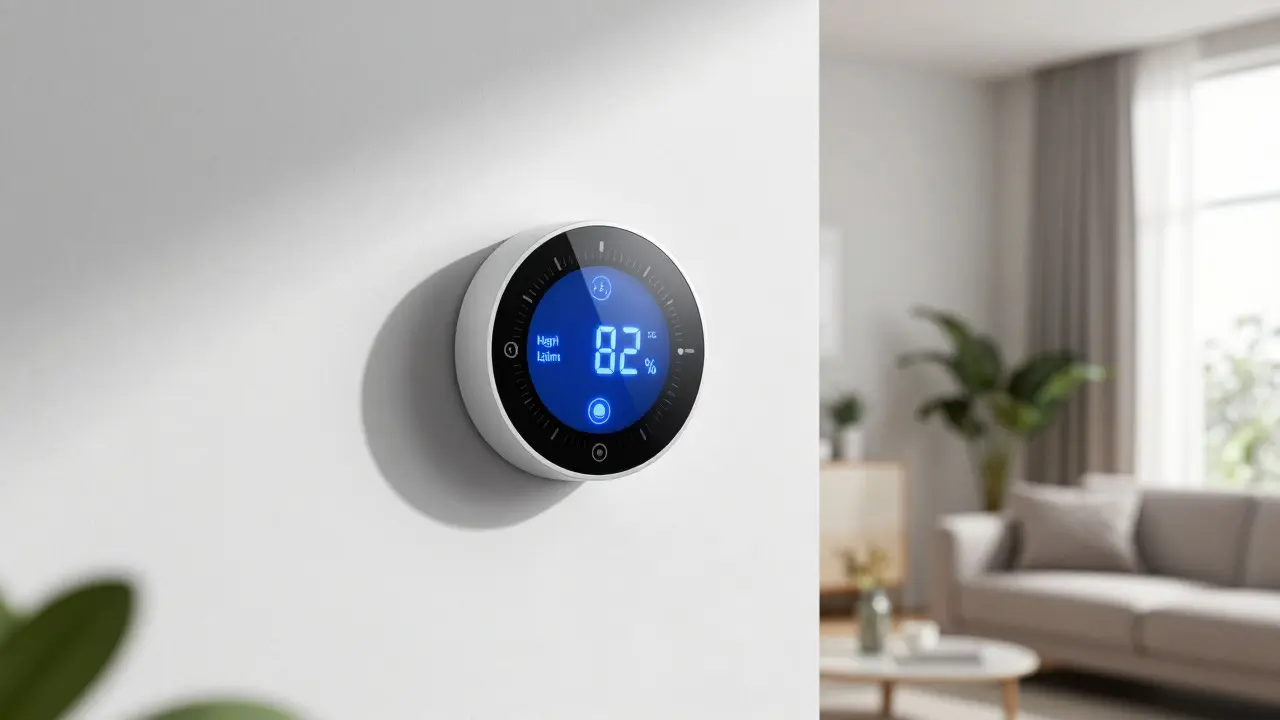
At the core of any modern climate controller is the humidity sensor. Unlike older mechanical systems that relied on manual dials, digital units use electronic components to read the air composition. Most high-end models, such as those from Ecobee or Nest, utilize capacitive sensors. These sensors change their electrical capacitance based on the amount of water vapor present in the air. The device converts this change into a percentage reading, giving you a precise view of your home's current state.
But measuring isn't enough. The real magic happens in the logic behind the scenes. When the relative humidity drops below your set threshold-say, 30% during a dry winter-the thermostat signals the humidifier to turn on. Conversely, if the humidity spikes above 50%, it triggers the dehumidifier or adjusts the cooling cycle to remove excess moisture. This automated response eliminates the guesswork involved in traditional HVAC systems, where homeowners often forget to switch modes seasonally.
| Feature | Manual Thermostat | Smart Thermostat |
|---|---|---|
| Sensor Type | Mechanical Bimetallic Strip | Digital Capacitive Sensor |
| Accuracy Range | ±5-10% | ±2-3% |
| Response Time | Hours (manual adjustment) | Minutes (automatic) |
| Data Logging | None | Real-time History & Trends |
| Integration Capability | Limited/Wired Only | Zigbee, Wi-Fi, Matter Protocol |
The Link Between Humidity and Indoor Air Quality
You might think air quality is only about dust and pollen, but moisture plays a massive role. When relative humidity stays above 60%, conditions become ideal for biological growth. Mold spores multiply rapidly in damp environments, releasing microscopic particles that trigger allergies and asthma attacks. Similarly, dust mites thrive in humid air, feeding on dead skin cells and shedding allergenic waste. By keeping humidity in the sweet spot of 30% to 50%, you effectively starve these organisms, reducing the total allergen load in your living space.
On the other hand, overly dry air causes static electricity buildup and irritates mucous membranes. Your nose and throat produce less mucus when the air is arid, making it harder to trap incoming viruses and bacteria. This is why people often feel more sick during dry winters. A smart thermostat helps maintain that balanced environment, ensuring that your respiratory system stays comfortable without needing extra medication or saline sprays.
Essential Features for Optimal Air Quality
Not all smart thermostats are created equal when it comes to air management. To get the best results, look for specific features that go beyond basic temperature control. Here are the key capabilities you should prioritize:
- Two-Stage Dehumidification: This feature allows the compressor to run at a lower speed specifically to remove moisture without over-cooling the room. It’s crucial for mild climates like Portland, where cooling alone might not be enough to drop humidity levels significantly.
- Remote Hygrometer Support: Some systems let you connect additional sensors in different rooms. Since humidity varies by floor and location, having data from the basement or attic helps the main unit make better decisions for the whole house.
- Air Quality Index (AQI) Display: Advanced models integrate with air purifiers to show real-time PM2.5 and VOC levels. Seeing a live AQI score motivates you to open windows or run filtration when pollution spikes.
- Weather-Aware Scheduling: The thermostat pulls local weather data to predict humidity changes. If a rainstorm is approaching, it may pre-dehumidify the house to prevent condensation on windows and walls.
Setting Up Your System for Maximum Efficiency
Installing the hardware is only half the battle. Proper configuration ensures the system actually delivers the promised benefits. Start by calibrating the humidity offset. Many homes have slight discrepancies between the thermostat's reading and actual room conditions due to airflow issues. Use a standalone digital hygrometer to check the accuracy. If there’s a consistent difference, adjust the offset setting in your app until both readings match.
Next, define your comfort zones. Set your target humidity range rather than a single number. For example, aim for 40% in the summer and 35% in the winter. Lowering the winter target slightly prevents window fogging and reduces the strain on your heating system. Finally, ensure your filters are clean. Clogged filters restrict airflow, causing the HVAC system to work harder and potentially leading to uneven humidity distribution. Replace standard pleated filters every 90 days, or monthly if you have pets.

Common Pitfalls and How to Avoid Them
Even with the best technology, user error can undermine performance. One common mistake is placing the thermostat near a heat source or drafty window. Direct sunlight or cold drafts can skew humidity readings, causing the system to overcorrect. Keep the device on an interior wall, away from direct sun and exterior doors.
Another issue is ignoring maintenance alerts. If the humidifier pad gets mineral-clogged, it won’t release moisture efficiently, even if the thermostat says it’s running. Check and clean humidifier pads twice a year. Additionally, avoid setting extreme humidity targets. Trying to hit 10% in winter or 70% in summer forces the system to run constantly, wearing out components and spiking energy costs. Stick to the recommended 30-50% band for the best balance of comfort and efficiency.
Frequently Asked Questions
What is the ideal humidity level for indoor air quality?
The ideal range is generally between 30% and 50%. Below 30%, you risk dry skin and increased viral transmission. Above 50%, you invite mold, dust mites, and musty odors. For most households, targeting 40% provides the best balance of comfort and health benefits.
Do smart thermostats need separate humidity sensors?
Most modern smart thermostats have built-in humidity sensors, so no separate device is needed for basic monitoring. However, if you have a large multi-story home, adding remote sensors in different zones can provide more accurate data, especially if humidity varies significantly between floors.
How does humidity control affect energy bills?
Proper humidity control can lower energy bills by preventing over-conditioning. When humidity is managed correctly, you don’t need to crank the AC as low to feel cool, nor do you need to heat as much to feel warm. Efficient dehumidification cycles also reduce wear on the compressor, extending the life of your HVAC system.
Can a smart thermostat work with any HVAC system?
Most smart thermostats work with standard forced-air heating and cooling systems. However, advanced features like two-stage dehumidification require compatible equipment, such as a variable-speed blower or a dedicated dehumidifier. Always check the manufacturer’s compatibility list before purchasing.
Why does my house still feel damp even if the thermostat shows normal humidity?
This could be due to poor air circulation or localized moisture sources like leaks or inadequate ventilation in bathrooms and kitchens. Ensure exhaust fans are working properly and consider using a portable dehumidifier in problem areas. Also, verify that your thermostat is not placed in a microclimate that doesn’t reflect the rest of the house.